One box. Your desk.
PHNTM One is its own Linux computer. In Private mode, the default, your AI runs on it, not in a data center, and it keeps working with the internet unplugged.
How it works offlineWhat PHNTM One prints for a homeschool
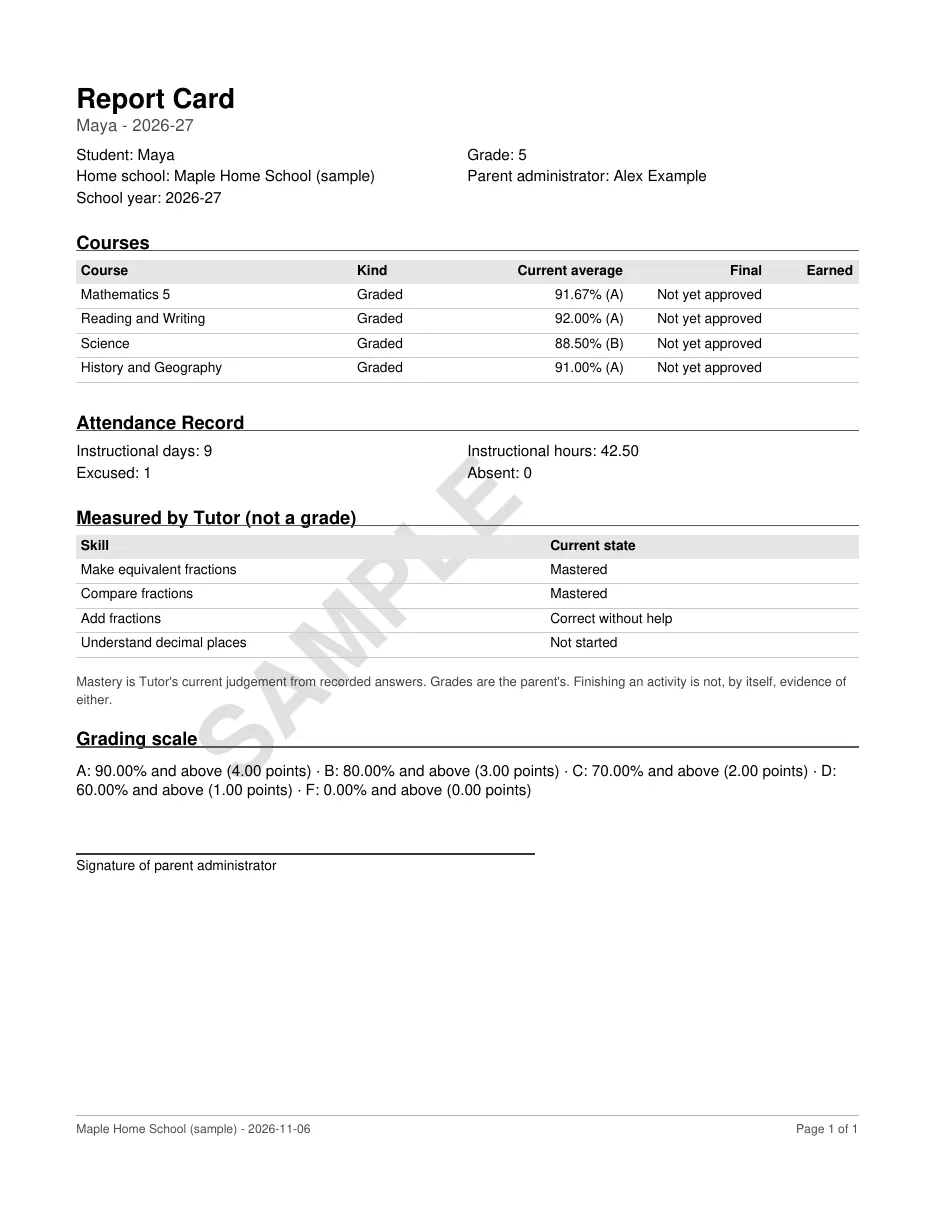
These are the PDFs Homeschool Studio and Tutor make. We produced them with the same code the shipping units run, for a made-up family, “Maple Home School”, with two students, Maya in grade 5 and Cleo in grade 11. Nothing was retouched; we only stamped each page SAMPLE.
On your unit they are built on the device from your own saved records. Homeschool Studio keeps courses and grades on the device, a Linux computer on your table, and none of this needs the internet. You save the PDF to a USB stick and print it from any computer.
Report card
Courses with their current averages, attendance, and a separate table headed “Measured by Tutor (not a grade)”, so Tutor’s judgement sits beside your grades and counts as a grade only if you record it as one.
Open the PDF (1 page)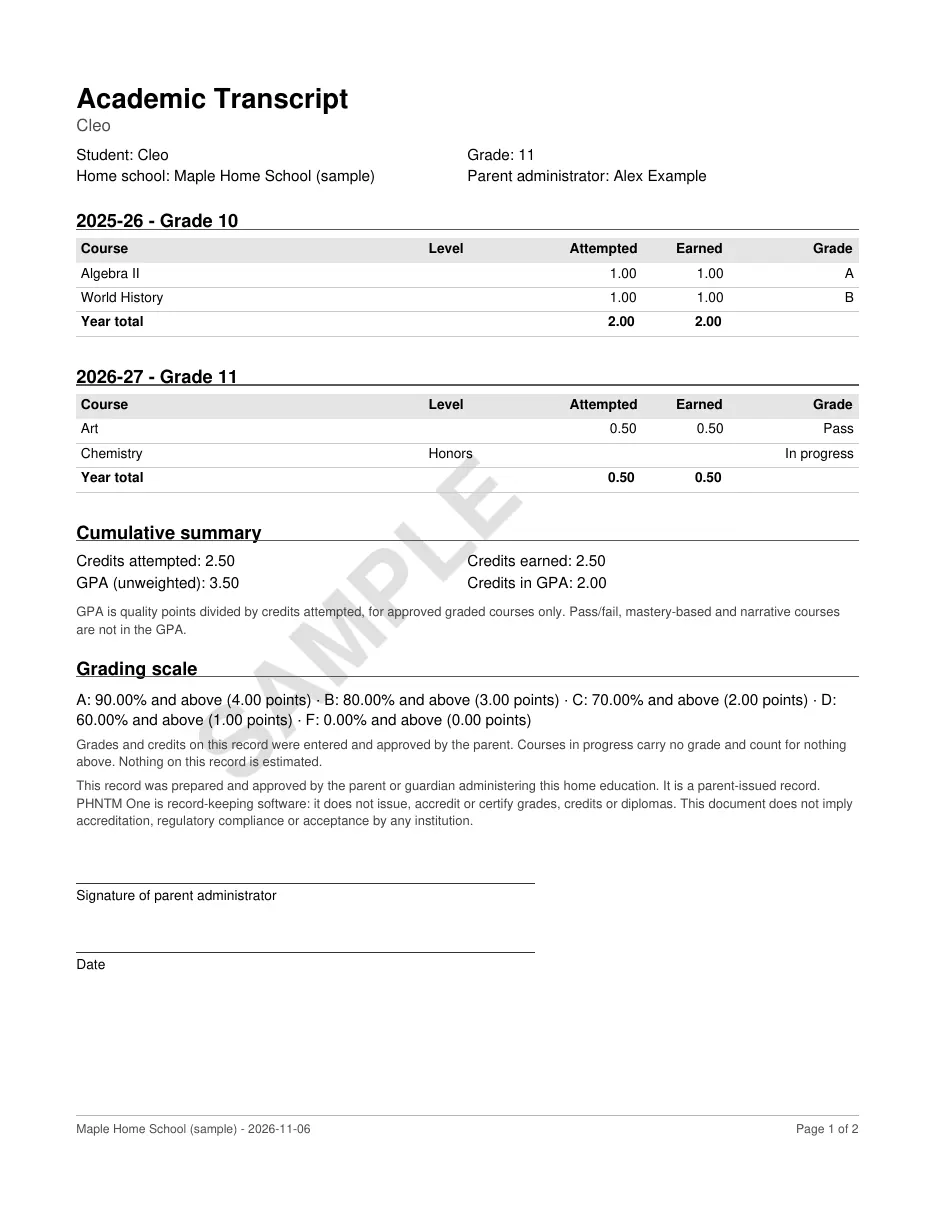
Transcript
High-school courses year by year, credits attempted and earned, and an unweighted GPA. The pass/fail course earns credit but stays out of the GPA. It says it is a parent-issued record that implies no accreditation.
Open the PDF (2 pages)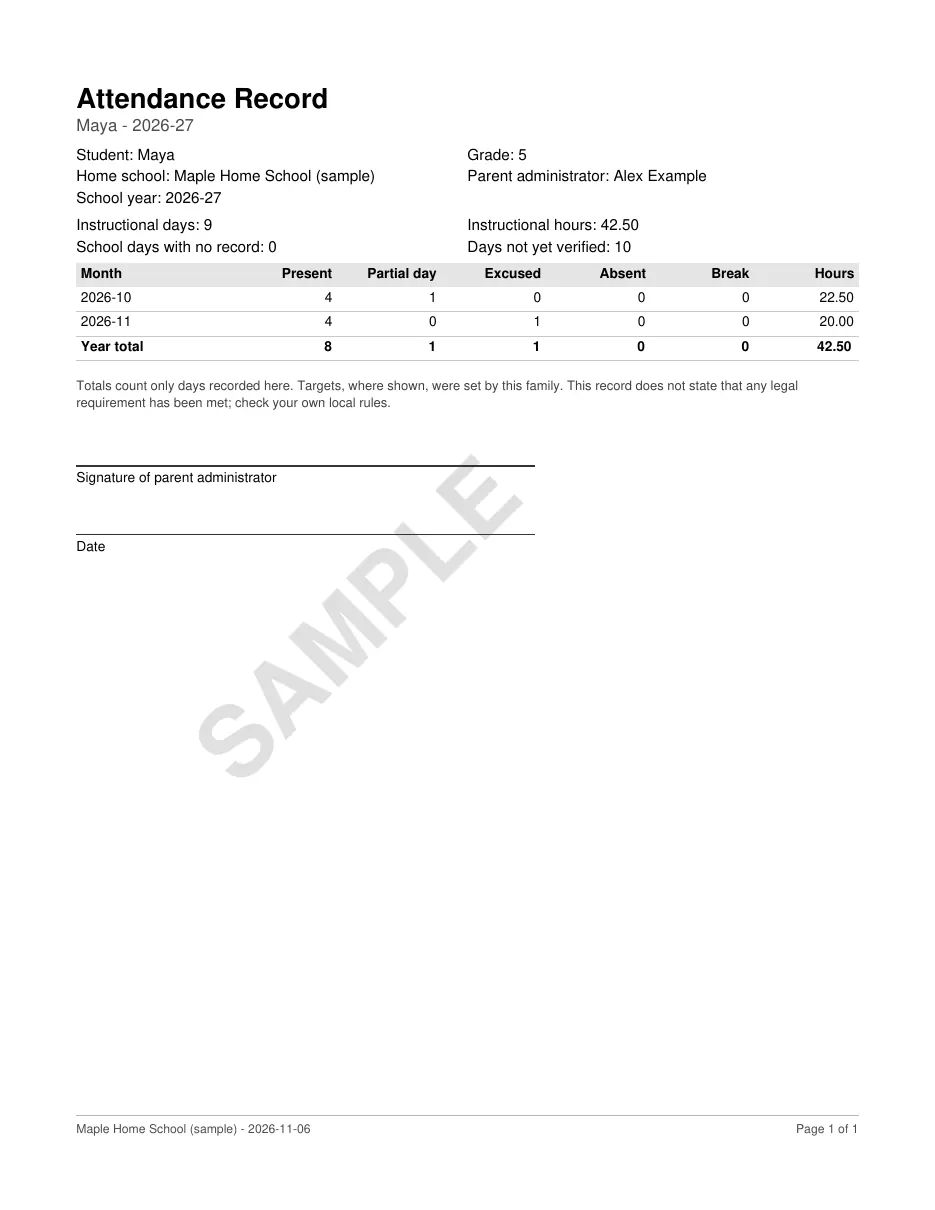
Attendance record
Days present, partial, excused and absent by month, with hours. It counts only the days you recorded and says plainly that it does not claim any legal requirement has been met.
Open the PDF (1 page)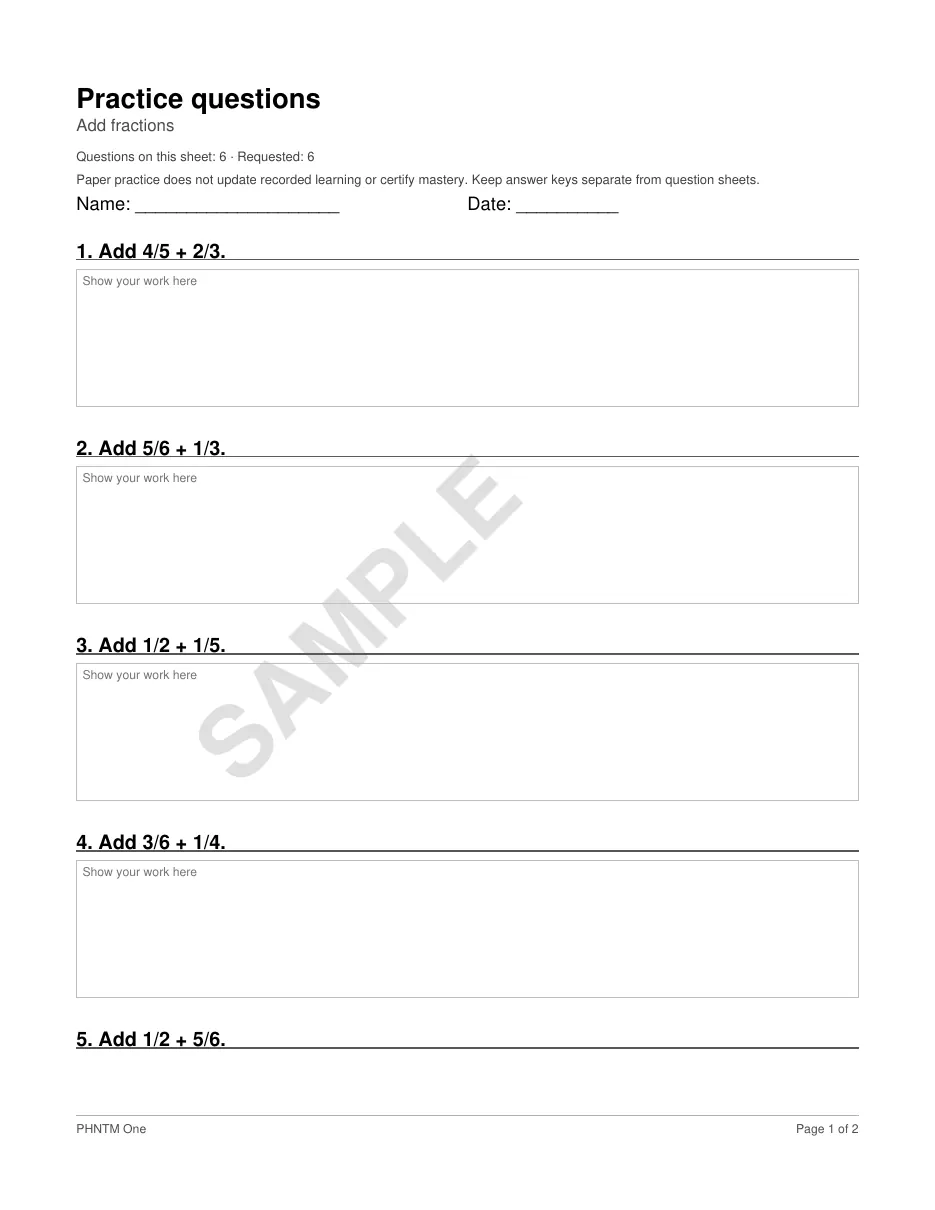
Worksheet
Six “Add fractions” questions with room to show the work, from Tutor’s printable practice. Choose any lesson, up to 20 questions (some lessons have fewer), and how hard.
Open the PDF (2 pages)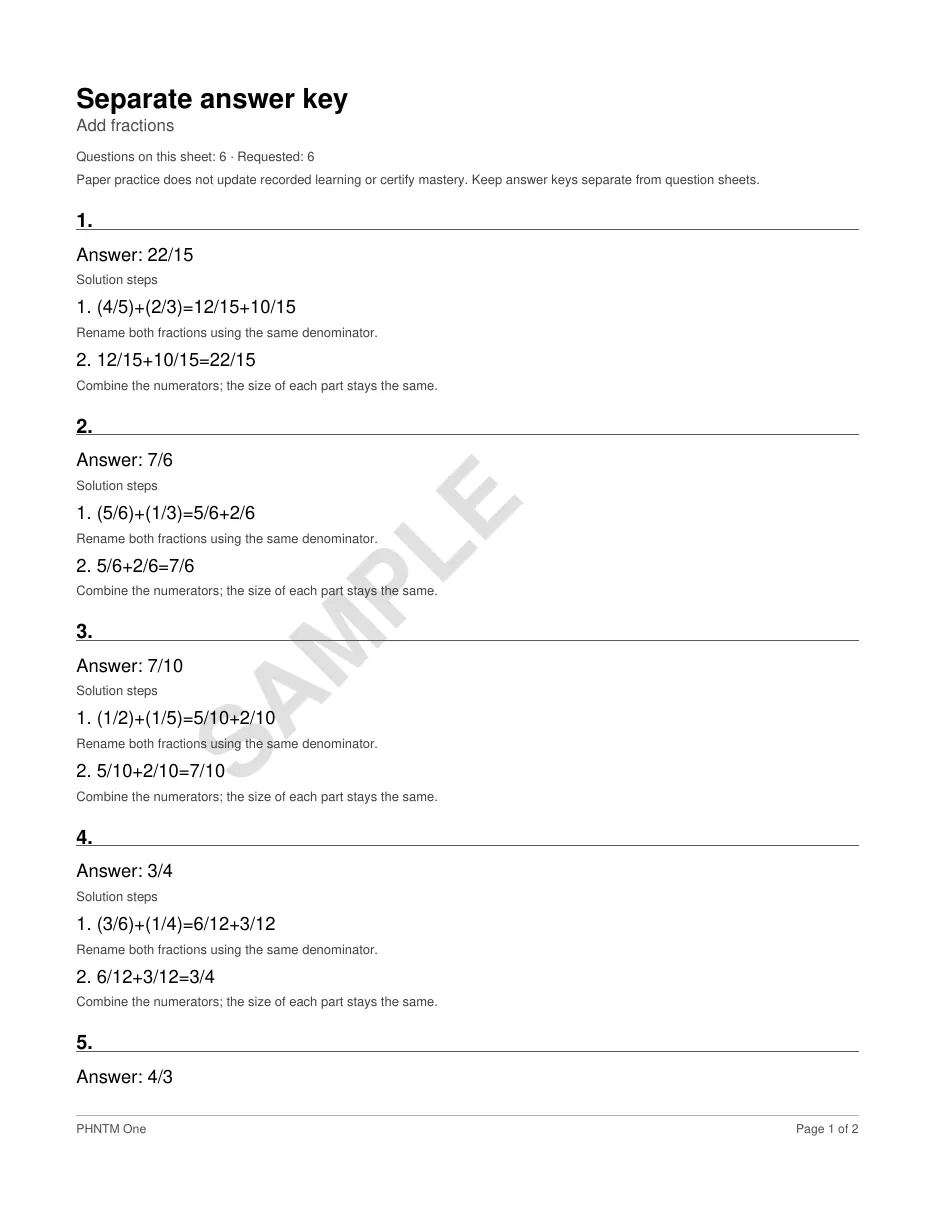
Separate answer key
Each answer with its solution steps, on its own sheet so it stays with the parent. A student sign-in gets questions only.
Open the PDF (2 pages)Make one on the device
- Report card or transcript: open Records in Homeschool Studio, pick the child and the document, and check it. Tap Finalize this document to keep that exact copy.
- Worksheet: on the Learn tab, open Printable practice activities, choose the lesson, the number of questions and how hard, then tap Prepare question sheet and, for the answers, Prepare separate answer key.
- Plug in a USB stick and tap Save to USB stick, then print the PDF from any computer.
Good to know
- These are parent-issued records. PHNTM One does not accredit or certify anything, and it does not check that a local homeschool rule is met.
- A finalized copy never changes. A later correction is kept, with your reason, in a correction trail, and Studio tells you the finalized copy is out of date.
- Paper practice does not change the learning records. A skill counts as learned only from answers given in Tutor.
- Pages are A4, or Letter when the device’s time zone is in the United States or Canada; you can choose the other in Settings. On a device set up in Italy, grades start on the 1–10 scale with GPA off.
- Documents carry the device’s date. After a power cut with no internet, set the time in Settings so they show the right one.
- Every skill Tutor can put on a worksheet is listed in the curriculum.
Own your AI. Keep your words.
Order your PHNTM One. Each unit must complete an automated burn-in on its shipping build before shipment. $799 once, with no required subscription for local use.
$799 one-time · ships within 6–8 weeks after payment (EU: pre-order) · free US shipping · ships worldwide · 30-day returns