PHNTM One specifications

A private AI appliance. Every part, listed.

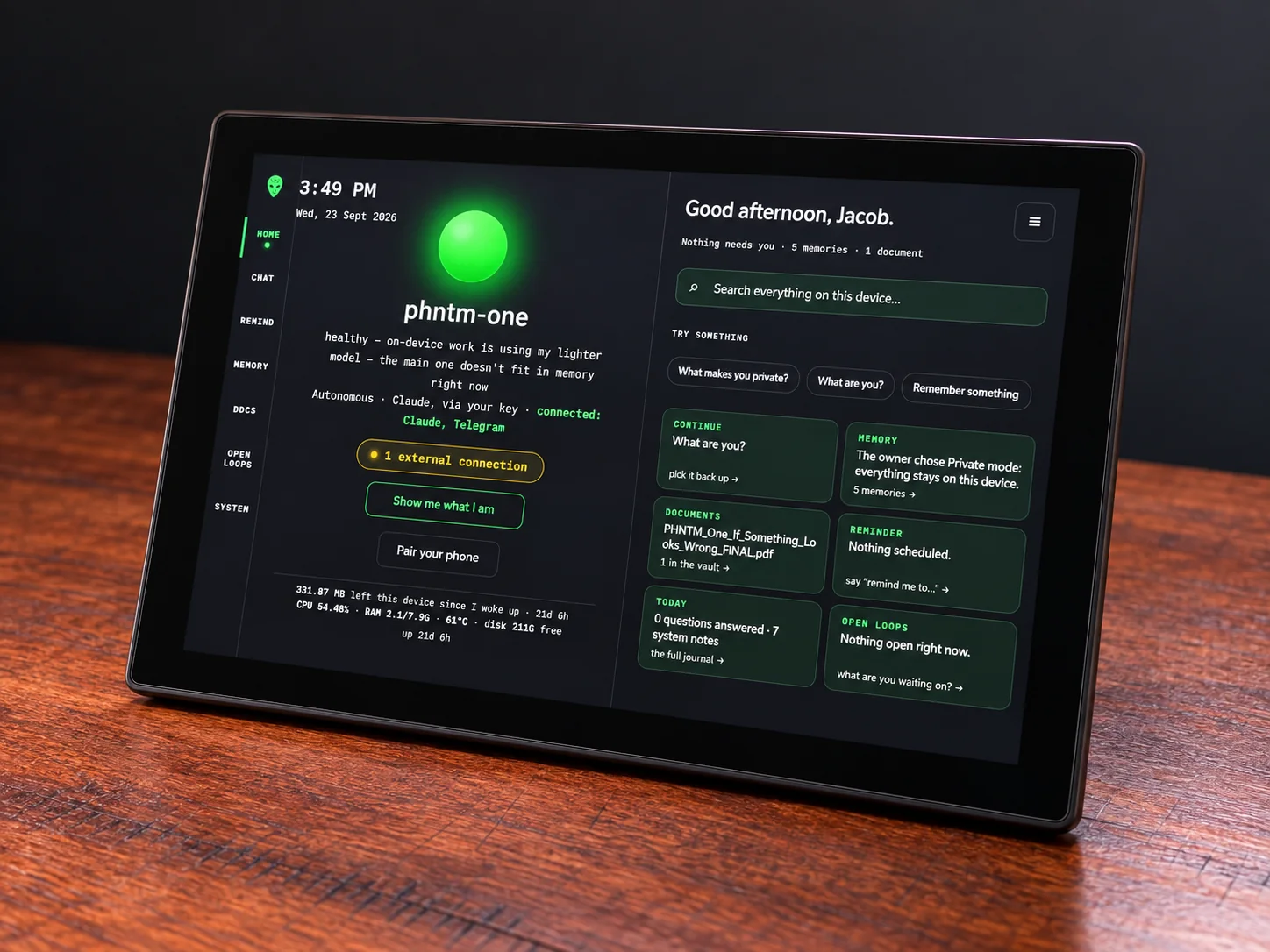
PHNTM One combines a Raspberry Pi 5 with 8 GB RAM, a 10.1-inch touchscreen and local conversation, memory, document search and voice. For people who want a dedicated assistant with Private mode on their own hardware. $799; no required subscription.

Raspberry Pi 5 · 8 GB10.1″ touchDebian 13Gemma 3 4B on-device

Prefer a working example? Inspect the measurements or read the Raspberry Pi build log.
8GBRAM, budgeted at boot for the model; after a long quiet spell the model may need to reload for your next question
10.1″1280×800 IPS touchscreen in an aluminium case
256GBstorage for local models, memories and your files
4Bparameter model (Gemma 3), running on the device
27WUSB-C power supply via the display; no battery
0required cloud accounts for local chat
What's inside

Five layers. Nothing hidden.

Scroll and it comes apart. Every part is a real, off-the-shelf component you can look up, and the parts list, with the total parts cost, is public.

  1. Glass and touchTouch over the whole screen. Setup, chat and everything else happen right here.
  2. 10.1″ IPS display1280×800, with a built-in camera. The breathing orb, the live status, the conversation.
  3. Raspberry Pi 5 · 8 GBQuad-core Cortex-A76. Runs Debian 13, the model, memory, voice and search.
  4. Passive coolingThe aluminium case draws heat away from the Pi, with no fan to hear. Historical August 2026 open-bench prototype with a fan: low-50s °C, no throttling in that test; this enclosure can differ, and Home shows the measured temperature.
  5. Enclosure, speaker and storageAn aluminium case, a USB speaker so it can talk back, and an installed 256 GB microSD card.
Compute

Raspberry Pi 5

8 GB RAM · quad-core Cortex-A76

Powerful enough to run a real language model on the device, and small enough to sit on your desk. A boot-time RAM budget decides which model can load; the device keeps the chat model ready all day, though it can still need to reload after switching on, after a repair or when memory runs short. Under pressure it drops to a smaller fallback model and says so.

Display

10.1″ touchscreen

1280×800 IPS · aluminium case

Set it up and talk to it right on the screen. No separate computer is needed for normal setup.

Storage

256 GB, installed

microSD card

Storage for local models, your conversations and documents, and, where installed, the offline library’s Wikipedia editions (about 21 GB). October 9, 2026: development drawings described a 256 GB NVMe M.2 SSD; current units use a 256 GB microSD card.

Voice

Speaker + tap-to-talk mic

tap-to-talk by default · optional local wake detection

A USB speaker so it can talk back (the display has none built in), and a USB mic that records only when you start it: tap-to-talk (blinking red, up to 45 s) or Notes dictation (on-screen timer, up to 5 minutes), unless you turn on the optional wake phrase, which listens continuously. Listening and speaking both run on the device.

Software

Debian 13, AI built in

local model · on-device processing

A full Debian system with the assistant built in. SSH is documented and never removed, and the code ships as readable source on the device.

The assistant

Private by default

Private and Boosted · legacy connections separate

A local model with no required subscription. Optional Boosted mode uses Claude on your own Anthropic key, and every answer is labelled with the brain that produced it. New Telegram setup is retired. Retained legacy Autonomous connections still require your approval for each email send or calendar change.

Full technical sheet

For the people who read spec sheets.

The same facts as the manual that ships on the device, which also serves the unit's burn-in certificate at /docs/certificate when the unit was packed with one. What it all adds up to is on the features page.
HARDWARE
compute
Raspberry Pi 5 · 8 GB RAM · quad-core Cortex-A76
display
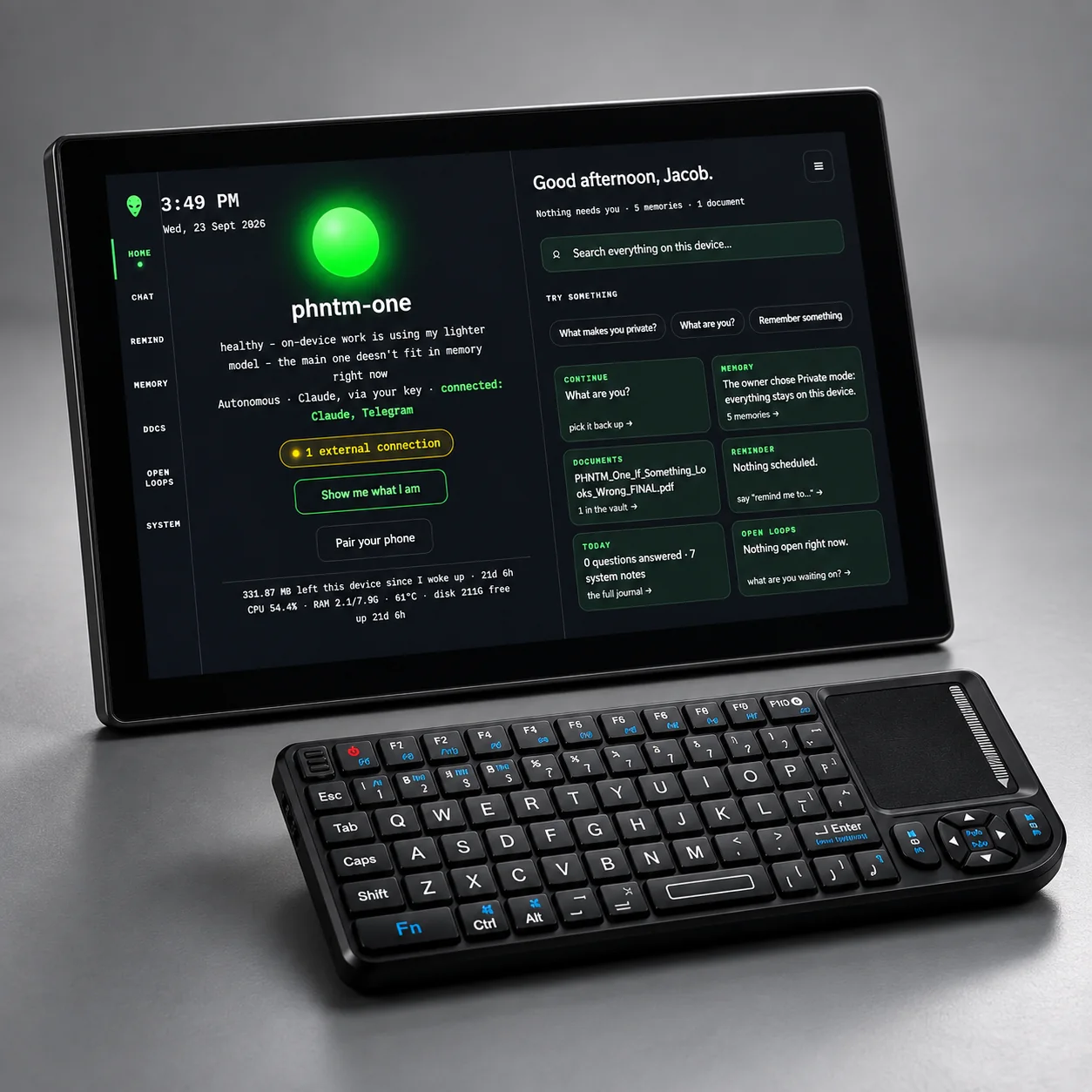
Waveshare 10.1″ 1280×800 IPS touchscreen (DSI panel) · built-in camera
audio out
USB speaker, included (the display has no built-in speaker)
microphone
USB mic, included and already connected · tap-to-talk; optional local wake phrase (off by default)
keyboard
Mini wireless keyboard + thumb touchpad, included · Alt+M = talk
storage
256 GB microSD card · installed
network
Gigabit Ethernet · Wi-Fi 2.4/5 GHz
power
27 W USB-C power supply (100–240 V, US plug), included; it plugs into the bottom edge of the display, which powers the Raspberry Pi 5 · no on/off switch: it starts as soon as it is plugged in; the power button is on the top edge of the screen · no battery, no clock battery
cooling
Passive: the aluminium display case dissipates heat
SOFTWARE & AI
os
Debian 13 (trixie) · Raspberry Pi kernel · systemd
chat model
Gemma 3 4B · Q4_K_M · 8K context
fallback
Llama 3.2 3B · Q4_K_M · used under RAM pressure
embeddings
bge-m3 · local memory and document search
speech in
whisper.cpp · on-device · runs per utterance · base model for English and Spanish, a larger local model for Italian
speech out
Piper TTS · on-device · four English voices, one Italian, one Spanish · three speaking speeds
inference
Ollama / llama.cpp · localhost only · Ollama cloud features disabled (OLLAMA_NO_CLOUD=1)
screen app
Firefox ESR 153.7 kiosk window on the device · four looks, Daylight by default
optional
Boosted mode · Claude on your own Anthropic key, off by default · Autonomous (legacy connection) · retained connections only, with confirmed email and calendar actions
WHAT IT DOES
voice
tap-to-talk (up to 45 s) · Notes clips up to 5 min · read-aloud for notes and documents
languages
Documented · local Setup and Settings select the preferred language for written answers. Speech recognition and spoken replies work in English, Italian and Spanish (a native Italian speaker tried spoken Italian on the device in November 2026; accuracy across many voices, accents and noisy rooms has not been measured); the other written languages are text-only. Replies follow the language you speak or type by default; Settings → Reply in can keep them in the selected language. English offers four voices; Italian and Spanish each offer one, with three speaking speeds and a preview in all three languages.
your day
Documented · local Save one-off or recurring reminders, pause them, and review delivery records on the device. Alerts use the device clock and can be mistimed while it is unverified. No RTC coin cell is installed: after an offline cold power loss, check or set the time before relying on scheduled alerts. Creation is refused when time is not believable or has moved backwards past a time already observed.
read & know
PDF, Word (.docx), OpenDocument (.odt), text, Markdown · photos and scanned PDFs (on-device OCR) · cited answers
offline library
Documented · local PHNTM One can keep Wikipedia on the device, installed by PHNTM: the Kiwix “mini” editions in English, Italian and Spanish (article introductions, no pictures, about 21 GB on the device’s storage). Ask a short factual question and, when an article’s title is in your question, its introduction can supply context; a source line appears when the article supports the answer, and on the device screen you can tap it to read the article. One article per question; it can miss or find none, and then the answer comes from the model alone. It works with the internet unplugged, is never downloaded or updated by the device itself, and Library › Reference shows whether it is installed on your unit.
learning
PHNTM Tutor (84 linked skills, Parent view) · Homeschool Studio · Language Lab (Italian, 16 units) · Learning Lens for printed homework · Early learning · Storytime · Family
skills
shopping list, to-do lists, unit converter, world clock (EN/IT/ES) · sandboxed · no network · no credentials · approved on the device screen
self-care
bounded repair paths · weekly counts on Home
DATED MEASUREMENTS
speed
In a November 17, 2026 review-unit test after a meeting, three local replies in an ongoing chat showed their first sentence in 23–30 s and finished in 30–37 s · a long or cold-model turn can take longer than a minute · test conditions and limits
first answer after model eviction
a separate October 30, 2026 review-unit trial after the model was unloaded took 127 s to first words and 131 s to the complete answer · one observation, not a guarantee
power to ready
the screen stays dark for a few seconds after plugging in; starting up takes a few minutes; the first answer after switching on can take about two minutes (owner manual)
temperature
historical, August 2026 v0.8/NVMe open-bench prototype (proof): low-50s °C under load, no throttling in that test · do not assume it for an enclosed unit
NETWORK & PRIVACY
open ports
22 (SSH), 8843 (app, HTTPS) and 8800 (redirect only), private LAN only · mDNS
model server
bound to the device itself; the firewall drops its outside traffic
telemetry
no assistant analytics sent to PHNTM · OS, browser and integration traffic are separate
updates
you tap Install · signature and every file checked · self-test gated · attempts a verified rollback
In the box

What you unpack.

  • PHNTM One: Pi 5 inside a 10.1″ touchscreen with an aluminium case
  • USB speaker (you plug it into a free USB port)
  • USB microphone for tap-to-talk and Notes dictation, already connected
  • Mini wireless keyboard with thumb touchpad
  • 27 W USB-C power supply (100–240 V, US plug); it plugs into the bottom edge of the display, which powers the Raspberry Pi 5
  • 256 GB microSD card, everything installed
  • Printed quick-start card and a card with your unit's serial (the full manual is on the device, with its burn-in certificate when the unit was packed with one)
Ready when you are

Own your AI. Keep your words.

Order your PHNTM One. Each unit must complete an automated burn-in on its shipping build before shipment. $799 once, with no required subscription for local use.

$799 one-time · ships within 6–8 weeks after payment (EU: pre-order) · free US shipping · ships worldwide · 30-day returns