Describe a goal. Finish it, step by step.
A repair, something to build, a skill to learn. Missions turns the goal into a plan of milestones and ordered steps, shows you the next step and what is still missing, and keeps an honest record of what is reported and what has evidence. The plan is written on PHNTM One by its local model and checked by fixed rules before you see it.
From a sentence to a finished project.
Open Missions from Home. Describe your goal, or pick a starter mission.
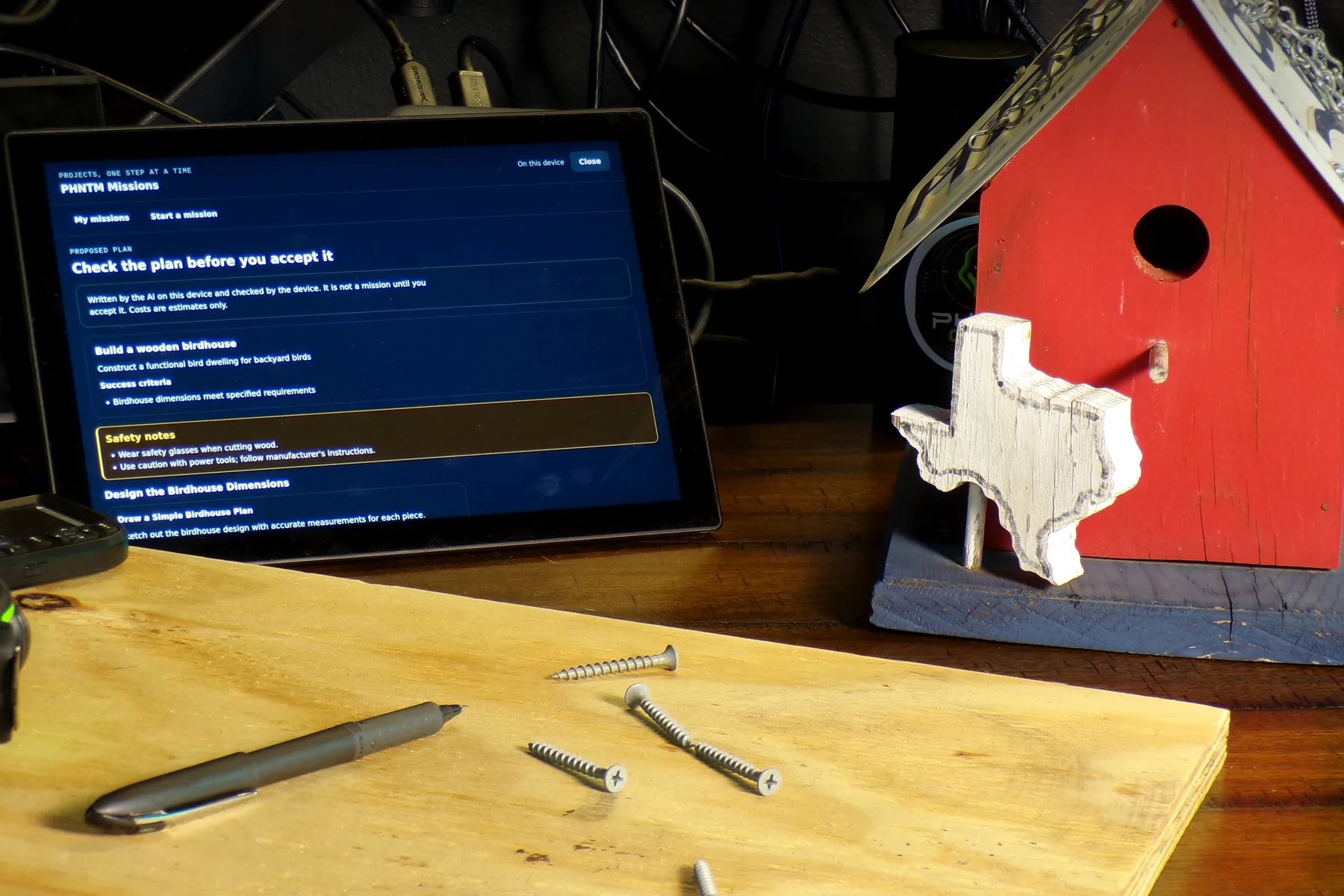
Describe it
Describe what you want to do in your own words: a repair, something to build or a skill to learn. Or start from a starter mission.
Review the plan
The local model writes the plan and fixed rules check it: milestones, steps in order, the materials and tools each step needs, and what counts as done. Edit it first; nothing is saved until you accept it.
Work through it
The screen shows the next step and what is still missing. Ask for a revision later without losing the steps you have already finished.
Show it’s done
Mark a step done, or record evidence for it. A finished mission says plainly whether its outcome is verified or only reported.
Your word counts. Evidence counts more.
Missions never pretends a step was checked when it was only ticked. Every step carries its own definition of done, and the record says how it was finished.
- Marked done
Marking a step done on your own word records it as reported, not verified.
- Evidence recorded
Recording evidence for the step, such as a photo, raises its grade.
- Hazard step
A step that carries a hazard, such as mains electricity, power tools or heights, cannot be marked done until evidence is recorded for it.
Evidence you can see. Help when the math gets in the way.
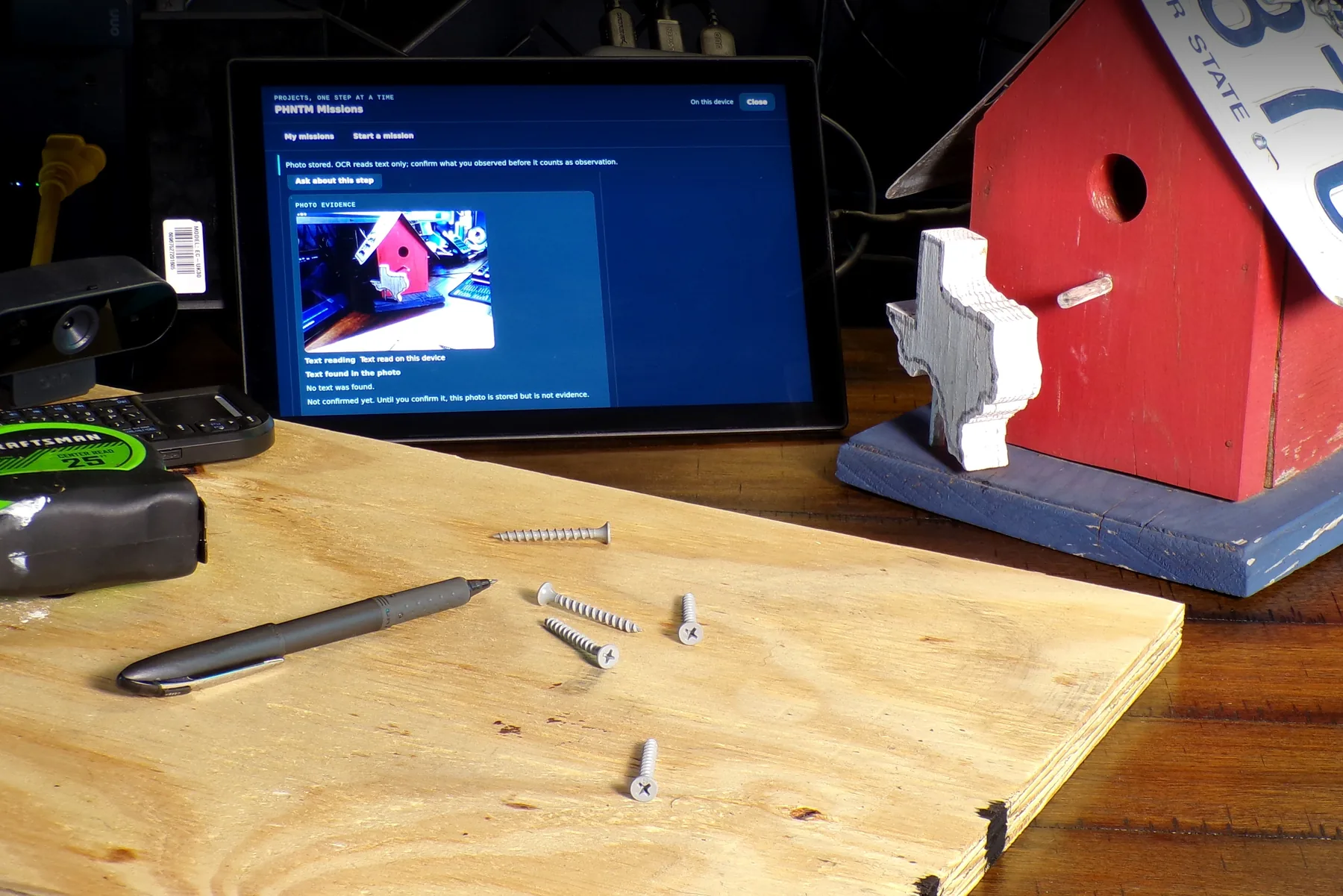
A photo for the step
A photo is stored with its step and read by local text recognition; you confirm what it shows. The assistant does not see images.
Snap it with Cam
With your own USB webcam attached (not included; compatibility depends on browser and Linux support), the Cam screen can take an explicit Mission snapshot. It goes to that step, local text recognition reads any text in it, and you confirm what it shows.
Learn the math on the way
When a step needs math you have not learned yet, the plan names the Tutor skill. That lesson opens in PHNTM Tutor and stays linked to the step.
In Private mode, your projects stay on the desk.
In Private mode, nothing leaves the device.
Planned on the device
In Private mode the plan is written by the local model on PHNTM One, and nothing leaves the device.
Boosted only when you ask
A plan you explicitly request in Boosted mode goes to the Boosted provider like any Boosted answer, and never for a child’s mission.
Exported and backed up
Missions are included in Take Everything and in backups. A factory reset removes them.
Yours to switch off
Missions can be switched off in the device settings file. Its entry on Home then disappears.
What Missions is, and what it isn’t.
- “Reported” means your word. A step marked done on your own word is recorded as reported, not verified. Recording evidence raises its grade.
- Hazard steps need evidence, but Missions does not make hazardous work safe. Follow the manufacturer’s instructions and local rules, and use a qualified professional where one is needed.
- The plan comes from a small local model. Fixed rules check its structure before you see it; review every step and edit the plan before you accept it.
- Planning takes time. The plan is written on the device by the local model, which is slower than frontier cloud services. No planning time is published.
- Photos are read for text, not understood. Local text recognition reads text in a photo and you confirm what it shows; the assistant does not see images.
- Boosted is a separate path. A plan you explicitly request in Boosted mode leaves the device for the Boosted provider, and never for a child’s mission; Private mode keeps everything on the device.
Before you start a project.
What kinds of goals work?
Who writes the plan?
How long does planning take?
Can I change the plan?
What is the difference between reported and verified?
What happens with dangerous steps?
Does Missions send my project to the cloud?
Can the assistant see my photos?
Start the project. Finish it honestly.
Order your PHNTM One. Every unit is built by hand and burned in for 72 hours before it ships. $799 once, with no required subscription for local use.
$799 one-time · ships within 7–10 business days after payment · free US shipping · ships worldwide · 30-day returns