Walk through the device.
Real captures where we have them, a labelled retouched photo, and elsewhere the software's own words. Anything drawn for this page says so.
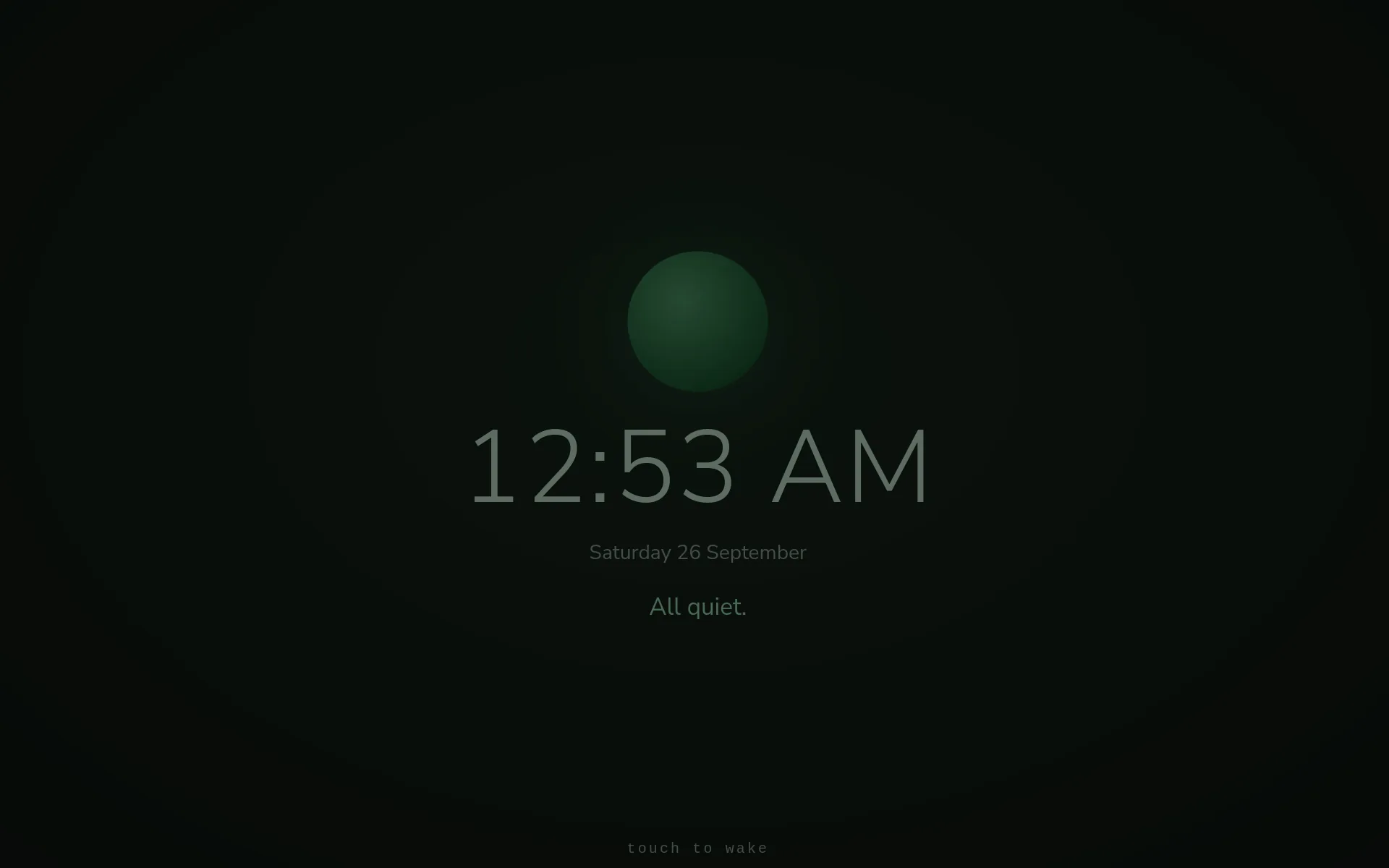
When nobody's using it, it rests.
After a few quiet minutes the screen settles into a low-light face: the orb, the time, and one honest line about how things are, like "All quiet." or "One thing is still open." Touch it to wake the full screen.
That line is composed only from what the device already knows about itself. It is never a guess and never a model call. Captured with grim from the development unit's own screen, September 26, 2026, 12:53 AM.
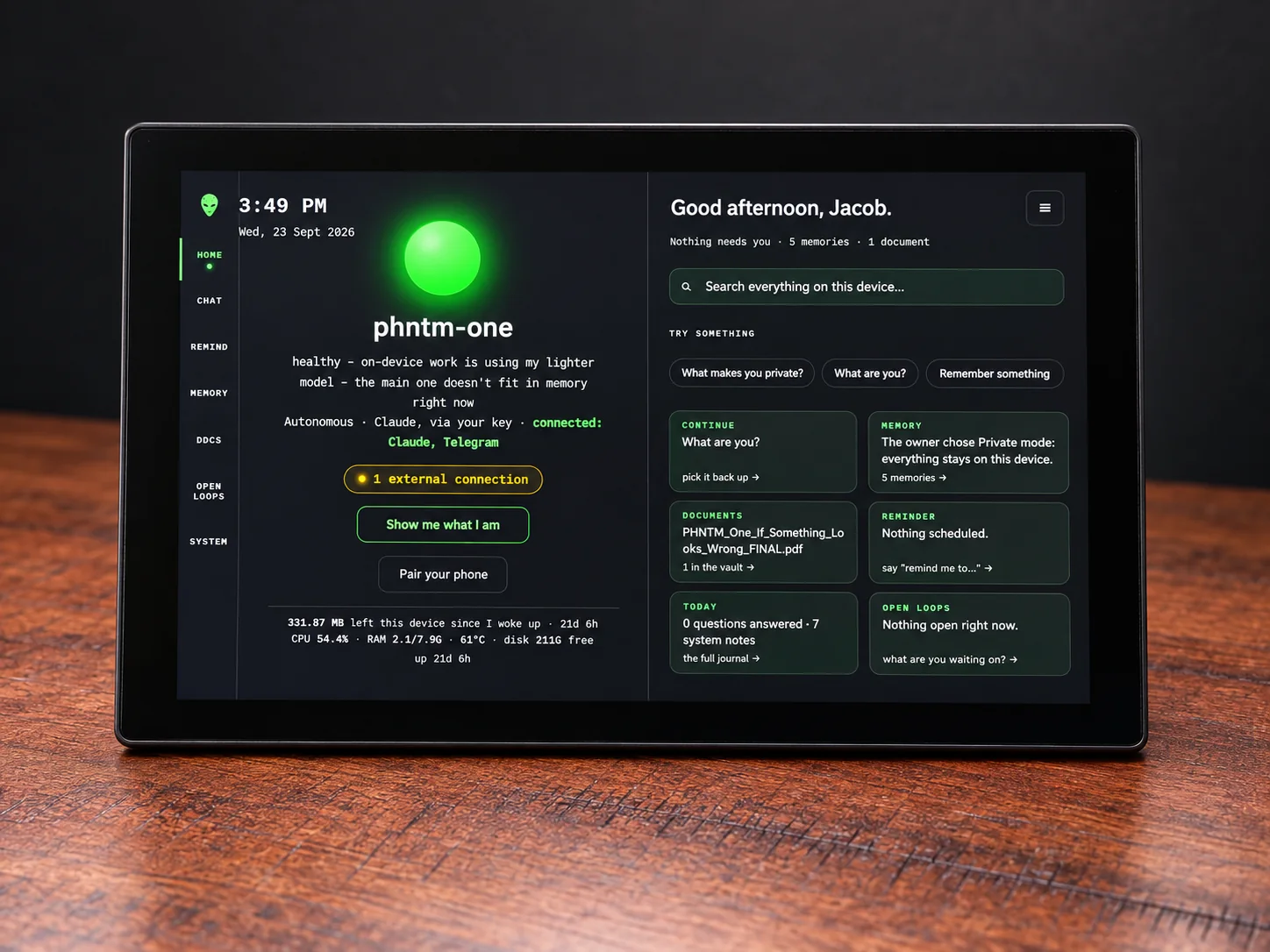
Awake: everything on one screen.
A greeting, search, and cards for memory, documents, reminders and open loops. HOME shows status at a glance: the orb, the wire counter, and what it's doing.
This one is an AI-retouched photo of the builder's own unit on September 23. It shows Autonomous mode switched on, a stored memory saying the owner chose Private mode, and the device saying it was using its lighter fallback model because the main one didn't fit in memory at that moment.
Status at a glance: the orb, the wire counter, and what it's doing.
The conversation.
Reminders. It speaks up on time.
Everything it remembers, yours to read and delete.
The vault: PDFs in, cited answers out.
What you're waiting on.
Overview (gauges and the live count of external connections), Activity (what it did for itself, restarts and fixes included) and Journal (briefings, health notes and notices).
Seven places, down the left edge.
The rail is how you get around. Pick one to read what it holds, in the manual's own words.
The rail above is drawn for this page; the words are the manual's.
SYSTEM → Activity is where you watch it look after itself: restarts and fixes, in plain words. More on that on the autonomy page.
"Private keeps every answer on this device. Boosted answers with Claude, sending this conversation to Anthropic with your own key. Autonomous adds actions from your Telegram — device status, reminders, email and calendar."
Three modes, one switch.
Private is the default. The quoted text is what the Settings screen says under the switch, word for word. Turning a cloud mode on from a phone needs your device password; turning it off never does.
The switch above is drawn for this page; the words are the software's.
More real captures are coming as we photograph each screen. Want to check any of this yourself? Four tests anyone can run.